Showing posts with label Web Analytics. Show all posts

Monday, 30 April 2012

How to track Mobile Website Using Google Analytics? Mobile Website, Server Side Code Snippets, and Google Analytics


We can track mobile sites in the same way as other websites. Since we need to make changes to the tracking code in order for it to track mobile sites we need to use different tracking code. To make sure that Google Analytic Reports data from for mobile websites, paste the server-side code snippets on each page we need to track. This will result in Google Analytic creating a profile for the mobile website. Google Analytics will now report the same kind of information as in standard Analytics reports.  It includes visitor information and web site traffic sources and we can track users visiting mobile website from both smartphone (like i Phones and Android devices) and WAP devices separately.

It will work in the following server-side snippets environments:
  • PHP 5
  • JSP on Jetty 6
  • Perl 5.10
  • ASP.NET on IIS 6.0

Monday, 16 April 2012

How to Set Up Goals and Funnels In Google Analytics to Track Conversions? Goals and Funnels in Google Analytics

Google Analytics allows you to track each stage in the users visit. This tracking helps to identify bad designing and bring to the notice the area which needs improvements.

A very simple goal would just be to count every time someone filled in the inquiry form, or sent an e-mail or whatever your conversion target. This is an example of a Web Analytics Tool. However that doesn’t tell you anything about how users got to that part of your site, or tell you about the other hundred users who left before they converted (either because the site is badly designed, or your product is too expensive etc), which surly affects your Lead Generation.

Now, set the target is that a user to enter through a particular landing page such as your Business Web Page, and then click on details of a service of product, then fill out the booking form – and a goal will allow you to track each of those stages. Now click on edit next to the profile you want to add your goal to:

Friday, 30 September 2011

What all Web Analytics Tools in the Market ?


WebAnalytics is the process of analyzing, collecting, measuring, and reporting of online data which helps in monitoring and optimizing websites. It can be used as a tool for business and market research. Web analytics provides information about the traffic for a particular website and the number of page views. Web Analytics consists of offsite and onsite.  The process s of web analytics has been depicted as below;
 
The list of Web Analytics software is categorized into
1. Open Source :  Analog, Piwik, Webalizer, Crawltrack, Go Access, Log Report
2. Proprietary:  Mint, Urchin, Sawmill
3. Mixed:  Logzilla
4. Hosted:  ClickTale, MouseFlow, WebTrends, Google Analytics, StatCounter, HitsLink, Yahoo             
                 Web Analytics, CrazyEgg
The top Web Analytics tools are listed below:-

Piwik
It is an open source web analytics system written in PHP. It provides detailed reports on your website and its visitors, including the search engines and keywords they used, the language they speak, which pages they like and the files they download.

Google Analytics (GA)
GA explains how people found your site, how they explored it, and how you can improve their visitor experience.  Based on this data, one can fine tune the website to increase the return on investment, increase conversions, and make more money online.  The dashboard of GA looks as follows;


It offers better access control options and a simpler approach to multi-site analytics, raw and real time data collection, visitor behavior and demographics reports and customized options as well.  The screen shot of a dash board of Yahoo Web Analytics is given below;


CrazyEgg
Crazy Egg allows you to build heat maps and track your visitors every click based on where they are specifically clicking within your website. It allows you to observe which parts of your site users are finding most interesting and clicking on the most.  The heatmap of the Crazy Egg is a very interesting feature of the tool.


ClickTale
It tracks every mouse movement, click and scroll, creating playback videos of customers’ complete browsing sessions as well as powerful visual heatmaps and behavioral reports that form traditional web analytics.

 
Businesses are increasingly focused on website and customer analytics – that is, computer technologies that use statistics to analyze patters and solve problems.  From identifying which pixel(s) on a page holds the most interest for customers to understanding why a particular customer abandoned his or her cart, analytics can help businesses – and particularly ecommerce site owners – understand their customers.  Understanding and examining these data can help businesses understand not only their customers, but also the manners in which their customers interact with their websites.  Analyzing these data can also help businesses spot technical problems and areas of their sites that require attention.

Now, with the latest analytical tools even we can measure the breath of the person who browsed a site.  Interesting……….. keep on reading DART blogs.

Friday, 23 September 2011

Trends in web Analytics


Most of us are aware about Google Analytics, but not heard about many other web analytical tools with interesting features.  Here is a list of web analytic tolls with mindboggling features.
Logaholic:  A web analytics package with a lightweight javascript snippet that won’t significantly slow down your customer’s web browsers like other trackers do.
Woopra:  With over one hundred thousand web sites tracked, this company offers a rich statistical monitoring experience in real time.
Cehartbat:  A real-time charting, tracking and monitoring suite designed for impatient webmasters that need constant access to fresh, current data.
GetClicky:   It offers many of the same features that you’ll find in other packages from this list, but it was designed specifically for ease-of-use. This feature alone makes it more practical for many users.
Extron:   An analytics service that’s designed around the entire web site lifecycle. Helping you optimize visitor experience.

Piwik:  It is an open source web analytics system written in PHP. It provides detailed reports on your website and its visitors, including the search engines and keywords they used, the language they speak, which pages they like and the files they download.


Yahoo Web Analytics:  It offers better access control options and a simpler approach to multi-site analytics, raw and real time data collection, visitor behavior and demographics reports and customized options as well.  The screen shot of a dash board of Yahoo Web Analytics is given below;


 CrazyEgg: The heatmap of the Crazy Egg is a very interesting feature of the  Crazy Egg,it allows you to build heat maps and track your visitors every click based on where they are specifically clicking within your website. It allows you to observe which parts of your site users are finding most interesting tool.


ClickTale:   It tracks every mouse movement, click and scroll, creating playback videos of customers’ complete browsing sessions as well as powerful visual heatmaps and behavioral reports that form traditional web analytics.


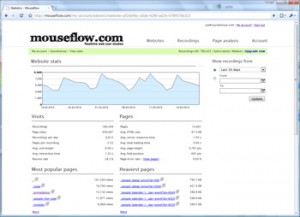
MouseFlow:  Mouseflow is a web analytics tool for performing advanced web analytics and realtime user studies on websites. It is a hosted service that can be used on any public website. Mouseflow records whole visitor sessions including mouse movements, clicks, scroll events and key strokes.


CoreMetrics:  It performs advanced online analytics, integrated marketing optimization applications, search engine bid management, email targeting, ad impression attribution, cross sell recommendations and social media ROI.

WebTrends:  It offers Real-Time collection of data and display and evaluate of key metrics and KPI, Review site metrics in live Excel report, taken from live updates and attach notes to various data elements so you can easily follow specific trends and share them via RSS feeds.


Omniture:  Omniture is  used for Multiple reports for video tracking,  and has the ability to track mobile phone users, Social media outlet reports to see what people are saying so you can respond right away, Pathing reports follow your visitors from the time they arrive to the page where they left and Real-time statistics and alerts to know what visitors are doing on your site right now.


Thus, there are different types of analytics software available in the market to provide an array of functions which are user-specific in nature.  The guided visual analytics workflow gives ability to easily arrange a sequence of analysis steps into a workflow template that can be edited, reused and distributed.   With the best web analytics system in place, one can accurately track user activity in order to refine your strategies that work while eliminating the mechanisms that don’t work. And once in a while, you may discover a buying pattern that you never would have noticed.


Friday, 5 August 2011

Google Analytics and Google AdWords Conversion Tracker


Conversion tracker in Google Analytics helps to track the events associated with the visit of a webpage by any user. This tool can be successfully integrated with Google AdWords to reap the maximum benefit out of ads spending and to improve your returns in search advertising.

The process involves placing a cookie on the user’s computer when an advertisement is clicked on a website. This cookie stores information about the visitor’s behavior and send back the details to the Google Server including conversion as defined. Then a conversion tracking image is placed on your site to state that a conversion has taken place. With this, Google has successfully tracked a conversion on your site. This can be linked with Google AdWords.

To view this information in Google Ad Words, you can click the “Campaigns” tab in your account, or by viewing the “Reporting and Tools” tab and in the dropdown select “Conversions”.


Fig: Displays the Google Ad Words Navigation Bar

Implementation of the tracking process includes a series of steps which are mentioned below:

1. Summary

The basic mechanism involves placing a code snippet in the source code of your conversion page which needs to be tracked. This requires a basic understanding of HTML as well as server access to your website code and a Google Ad Words account for that particular website. After you install the code on your page, leave up to one hour for data to show in your account after the first conversion from your account has taken place. You can also view conversion reports based on the keyword level used. Modification of the code snippet may result in the tracking code not working properly.


Fig: Tracking Process Explained

2. Acquiring Code Snippet


The code snippet from Google will be displayed when you select a page under the “Action Type” option for which you need conversion tracking to be operational. You also need to specify the tracking purpose meaning the type of page that you are adding. When you place the code snippet on your conversion page, statistics on users who click on a Google Ad Words advertisement and go through to a conversion page such as purchase, sign-up, page view, or lead) can be collected and displayed in your reports.


Fig: Steps Leading to Conversion


3. Requirements

a) Ad Word Ads that are valid and functioning
b) Proper placement of the Google code snippet on your conversion page source file.
c) For Ad Words Conversion Tracking to successfully track conversions from clicks on your ad, customers must be able to download images and enable the "cookies" feature in their browsers.


Fig: Inserting code snippet to the source page.

4. Inserting Code Snippet to Conversion Page

Just by inserting the code into your website does not guarantee conversions to take place, but it requires a user to click on an Ad Words Ad and click through to the conversion page to register a conversion. An option to choose the Site Stats Text on your conversion page is available and a block image appears on the end user pages. It is optional to select this feature, but you will need to convince users that you are using Ad Words free conversion tracking methodology in order to get their approval and guarantee their privacy. The block of code needs to go in between the <body></body> tags. Code cannot be pasted into the header or footer section of a page.


Fig: Code Snippet in the Body Section


5. Verifying Ad Words Conversion Tracking Code Snippet


Either you can wait for a conversion to take place or perform a test conversion yourself. If you know that a conversion has occurred on your site from an Ad Words ad, view the conversion column in your account to verify the conversion. In most cases, updates to your account may take up to 24 hours to reflect. The other option is to search in Google for your ad, then click on the ad to complete a conversion on your site.


Fig: Conversion Reporting

Conclusion: We suggest that you wait for a conversion to occur otherwise this method will cost you an ad click. This is an important strategy in search engine advertisement.